Markdown, the way
your terminal deserves.
A full-screen editor that runs where you already work. Click, drag and scroll with the mouse, or never leave the home row. Obsidian-compatible, with a link graph drawn right in the terminal.
Free and open. All platforms and architectures →
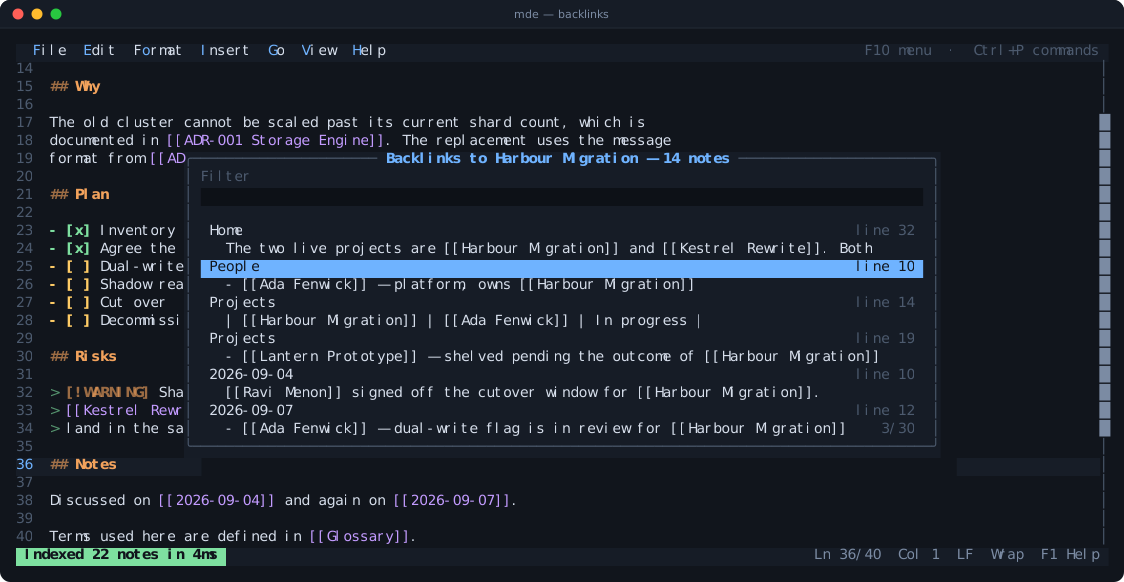
Four things you will use every day
Every picture below is the real editor rendering, captured frame by frame.
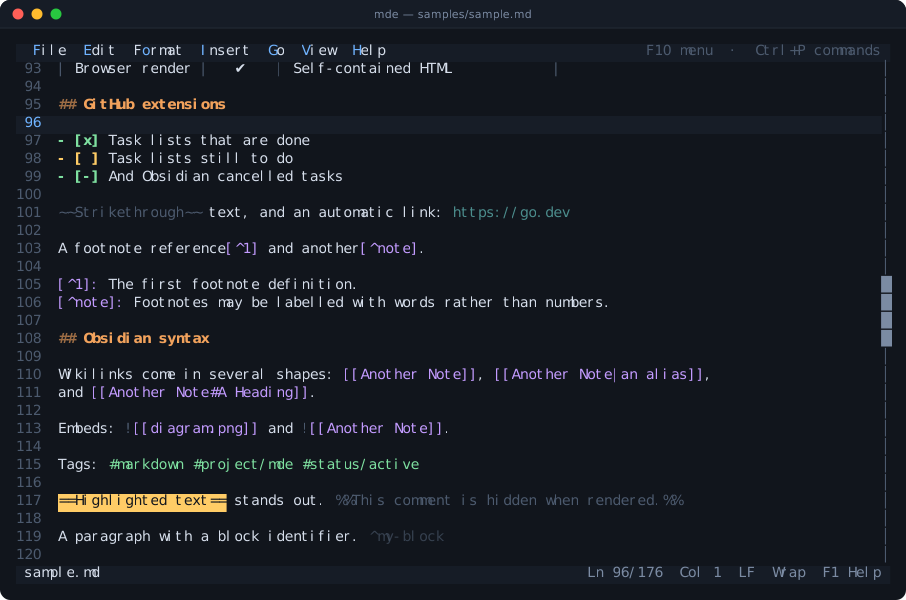
Headings, emphasis, code, tables, callouts and tags are coloured as you type. Soft wrapping keeps list items and quotes hanging under their marker.
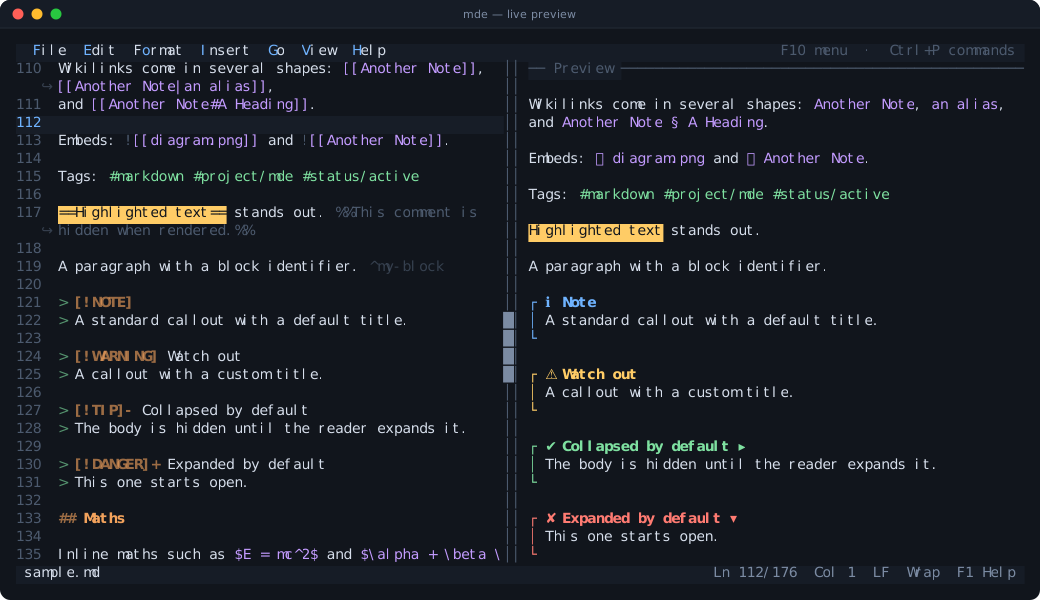
Press F4 for a rendered pane beside the text: callouts with icons, real tables, task boxes and maths as symbols rather than TeX.
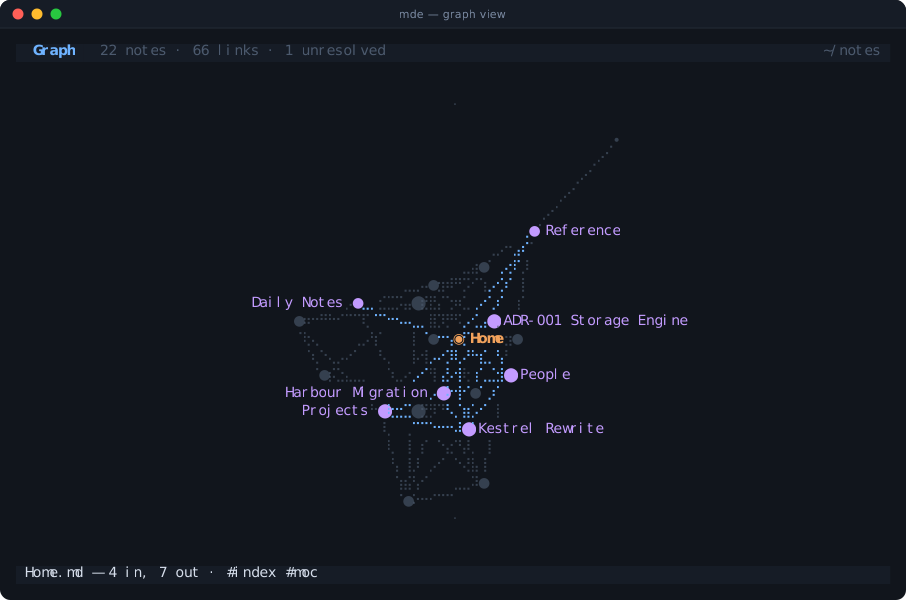
Your whole vault as a force-directed graph, drawn in braille for four times the resolution. Arrows select, Enter opens, L narrows to the neighbourhood of one note.
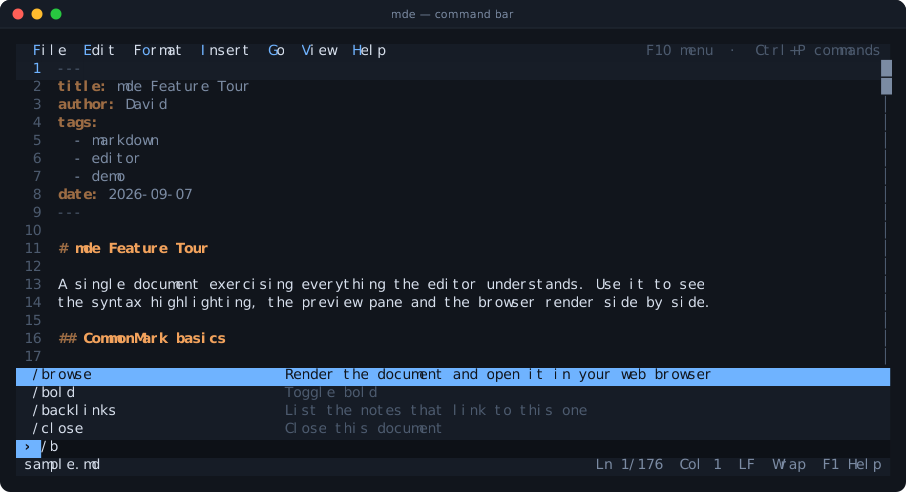
Press Ctrl+P and type. Fifty commands, completing as you go, abbreviating to any unique prefix.
A real editor, not a compromise
Terminal apps usually ask you to give something up. This one does not.
The mouse actually works
Click to place the cursor, drag to select, double-click a word, triple-click a line. Click a checkbox to tick it. Wheel to scroll. Real dropdown menus you can click.
Or never touch it
Every action has a key. Ctrl+B bolds, Alt+1 makes a heading, Tab nests a list item. Formatting shortcuts toggle rather than only insert.
Obsidian, understood
[[wikilinks]], ![[embeds]], #tags, ==highlights==, all fourteen callout types, %%comments%%, block IDs, maths and front matter.
A graph in your terminal
Point it at a folder of notes and press F7. Nodes weighted by how connected they are, orphans ringed outside, neighbours highlighted on selection.
Beautiful in the browser
Alt+B renders a self-contained HTML page — contents sidebar, light and dark, highlighted code, print styles. No CDN, works offline.
Nothing to install
One static binary of about 3 MB. No runtime, no libraries, no config file. Unpack it and run it. Built on the Go standard library and nothing else.
Six themes, previewed live
Shift+F6 repaints your own document in each one as you arrow through the list. Truecolor where the terminal has it, gracefully degraded where it does not.
Markdown done properly
CommonMark, GitHub tables and task lists, footnotes, definition lists, emoji shortcodes. Your line endings, byte-order mark and final newline all survive a round trip.
Instant, always
Double-buffered drawing that writes only the cells that changed. Syntax highlighting computed per visible line. It starts in the time it takes to press Enter.
Pick your platform
Every download holds the binary plus a samples folder to try it on straight away.
macOS Yours
- Disk image
- Apple Silicon arm64
- Intel x86-64
- Tar archive
- Apple Silicon arm64
- Intel x86-64
Every download is about 1.5 MB: the disk image mounts as a folder, the archives unpack to one. Verify a download against the checksums.
Running in under a minute
No installer, no package manager, no post-install steps.
# macOS — open the disk image, then copy the binary out
$ open mde-1.0.0-macos-arm64.dmg
$ cd /Volumes/mde-1.0.0-macos-arm64

# Linux — unpack the tarball instead
$ tar -xzf mde-1.0.0-linux-amd64.tar.gz
$ cd mde-1.0.0-linux-amd64

# try it on the samples that came with it
$ ./mde samples/sample.md

# and put it on your PATH
$ sudo cp mde /usr/local/bin/
# unpack it
> tar -xf mde-1.0.0-windows-amd64.zip
> cd mde-1.0.0-windows-amd64

# try it on the samples that came with it
> .\mde.exe samples\sample.md

# the graph needs a folder of notes
> .\mde.exe samples\vault\Home.md
Then press these
Zero dependencies. Genuinely.
The terminal driver, the markdown parser, the HTML renderer, the syntax
highlighter for forty languages, the clipboard integration and the graph
layout are all part of this program. go.mod
lists nothing. Clone it and it builds offline.